
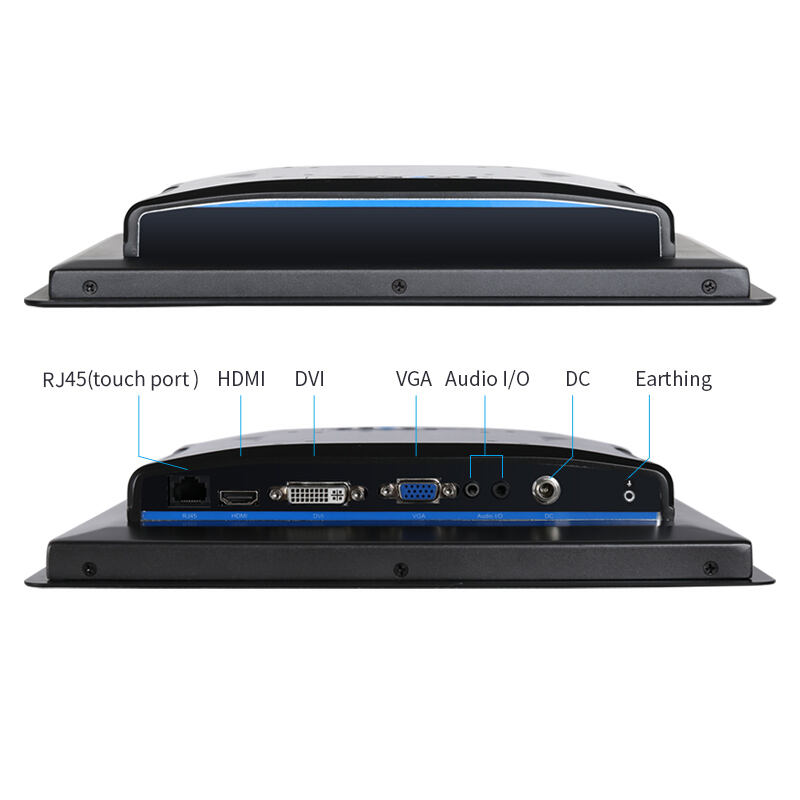
Why Touch Response Speed Is Critical for Industrial Touch Monitor Performance
How responsive industrial touch monitors are makes all the difference when it comes to getting things done efficiently, staying compliant with safety standards, and cutting down errors in manufacturing settings. When there's lag between touching the screen and seeing a response, operators get frustrated, tasks take longer than they should, and mistakes happen more often. This is especially problematic during those critical moments when adjustments need to be made quickly on assembly lines or when someone has to shut something down in an emergency situation. According to recent studies from Ponemon Institute back in 2023, every hour lost due to manufacturing delays costs companies around $740,000 on average. That puts touch latency right at the heart of financial concerns for plant managers. In areas where safety is absolutely crucial for running machines or handling dangerous materials, getting responses under 8 milliseconds can literally save lives because even small delays might put workers in serious danger. Good quality industrial touch screens reduce mental strain since operators don't have to wait ages for their commands to register. The system reacts almost instantly so what people do matches exactly with what happens on screen, preventing expensive accidents and keeping production moving smoothly throughout shifts.
Industry-Validated Response Time Benchmarks for Industrial Touch Monitor Applications
ISO/IEC 9241-410 and IEC 61000-4-2 standards for touch latency measurement
In industrial manufacturing, companies depend on standard tests to measure how well touchscreens respond to inputs. There's this thing called ISO/IEC 9241-410 that lays out specific ways to test touchscreen latency, which basically means how long it takes from when someone touches the screen until the system actually registers that touch. Then there's another standard, IEC 61000-4-2, which checks if the touchscreen can handle electromagnetic interference while running. Why does this matter? Well, these two standards together help make sure that touch monitors work reliably even in places where there's lots of electrical noise going on, like busy factories or near big transformers at power stations. Without them, workers might find themselves waiting forever for their touch commands to register properly.
Target thresholds: <15ms for HMIs,8ms for safety-critical industrial touch monitor systems
Industry consensus establishes clear performance tiers based on operational risk:
- Human-Machine Interfaces (HMIs): <15ms latency prevents workflow disruption in control panels
- Safety-critical systems: 8ms response for emergency shutdowns or medical devices
This differentiation stems from human perception studies showing 8-10ms as the threshold where delays become imperceptible during rapid interactions. Safety-certified industrial touch monitors targeting sub-8ms latency incorporate specialized controllers and noise-filtering firmware to meet fail-safe requirements.
How Touch Screen Technology Affects Response Time in Industrial Touch Monitors
Capacitive (PCAP), Resistive, and SAW: Latency, Durability, and Environment Trade-offs
Your choice of touch technology directly impacts an industrial touch monitor's responsiveness. Each system has distinct performance characteristics:
| Touch Type | Typical Latency | Durability | Environmental Tolerance | Key Limitations |
|---|---|---|---|---|
| Capacitive (PCAP) | <10ms | Moderate | Limited moisture/glove support | Requires bare fingers/conductive stylus |
| Resistive | 10-20ms | High (physical pressure resistant) | Wide temperature range (-20°C to 65°C) | Lower optical clarity, multi-touch limitations |
| SAW (Surface Acoustic Wave) | 15-25ms | Moderate (sensitive to surface contaminants) | Excellent optical clarity | Vulnerable to dirt/liquids, requires clean environments |
Capacitive touchscreens are known for their lightning fast response times, though they have trouble working properly when someone wears gloves or touches them with wet fingers. Resistive panels handle rough environments better and can withstand physical knocks, but this comes with slower reaction speeds. Surface acoustic wave (SAW) tech gives excellent picture clarity, yet it gets messed up easily by dirt or debris since it relies on those tiny sound waves across the screen surface. When looking at factory floor applications where every millisecond counts, manufacturers will usually go for PCAP technology because of its under 10ms lag time. On the flip side, places like water treatment facilities tend to stick with resistive displays even though they respond more slowly, simply because these screens work fine when there's moisture around. Getting the right screen type for each job really matters if companies want their industrial monitors to perform reliably day after day.
Real-World Factors That Impact Effective Touch Response in Industrial Environments
While technical specifications measure baseline performance, real-world conditions critically affect touch responsiveness in industrial operations. Four primary environmental factors degrade perceived latency:
Glove operation, EMI, moisture, temperature extremes, and their effect on perceived latency
- Glove Operation: Standard gloves reduce capacitive coupling by 60-80%, requiring specialized PCAP (Projected Capacitive) technology or sensitivity adjustments to maintain sub-15ms response.
- EMI/RFI Interference: Machinery-generated electromagnetic noise induces false touches or lag, necessitating shielded enclosures and filtering circuits.
- Moisture Exposure: Water film on screens disperses touch signals, increasing latency by 3-5× in humid environments.
- Temperature Extremes: At -20°C, resistive touch response slows by 40% due to material stiffening; above 50°C, capacitive drift causes calibration errors.
These factors collectively extend perceived latency beyond laboratory measurements, risking operational delays in high-speed assembly or safety-critical processes. Selecting monitors engineered for specific environmental stressors ensures consistent touch performance.
FAQ
-
Why is touch response speed critical in industrial monitors?
Touch response speed is crucial because it directly affects operational efficiency, safety compliance, and error reduction in manufacturing. Faster response times can prevent costly delays and ensure safety in critical moments.
-
What are the standard benchmarks for touch response in industrial monitors?
Standards like ISO/IEC 9241-410 and IEC 61000-4-2 help ensure reliable touch response by measuring screen latency and electromagnetic interference handling.
-
How do different touch technologies affect response time?
Different technologies like PCAP and resistive touchscreens have varying latencies and environmental tolerances, impacting their suitability for certain industrial applications.
-
What factors can affect touch response in real-world industrial environments?
Factors such as glove operation, electromagnetic interference, moisture, and temperature extremes can degrade touch responsiveness in industrial settings.
Table of Contents
- Why Touch Response Speed Is Critical for Industrial Touch Monitor Performance
- Industry-Validated Response Time Benchmarks for Industrial Touch Monitor Applications
- How Touch Screen Technology Affects Response Time in Industrial Touch Monitors
- Real-World Factors That Impact Effective Touch Response in Industrial Environments
- FAQ