
Environmental Challenges Impacting Industrial Touch Panel PC Accuracy
EMI, Dust, and Extreme Temperatures: Quantifying Real-World Touch Response Degradation
The accuracy of industrial touch panel computers drops significantly when exposed to harsh environments. Motors and heavy machinery generate electromagnetic interference that messes with touch signals, leading to false inputs or complete failure in roughly a third of systems without proper shielding. Foundries present another challenge as metal dust builds up over time, cutting down on capacitive touch responsiveness by nearly half after just a few months of operation. Temperature problems only make matters worse. When temps dip below freezing point (-10°C), screens start lagging with delays around 200 milliseconds. At the other end of the spectrum, heat above 60°C causes components to expand differently, throwing off alignment between sensors and protective glass layers. High humidity levels also wreak havoc, creating ghost touches when moisture bridges across surfaces, something commonly seen in food production facilities. All these combined challenges mean manufacturers need specially designed equipment if they want consistent touch functionality in tough conditions.
Robust Enclosure Design and IP-Rated Protection for Stable Touch Performance
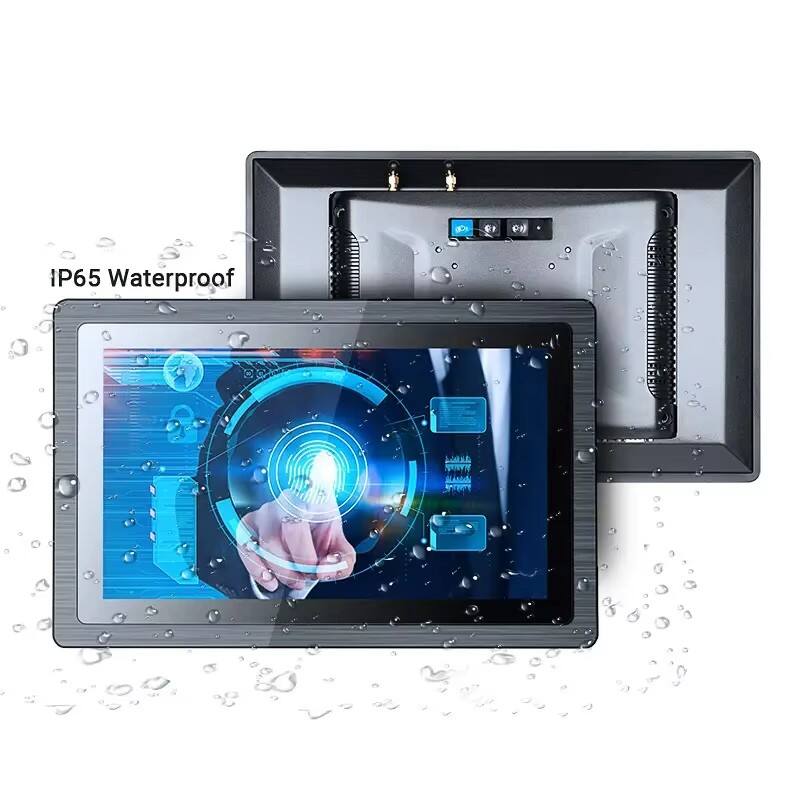
Keeping touch accuracy intact begins with solid physical protection measures. Most industrial touch panel computers need at least IP65 rated enclosures to keep out dust particles and stop water jets from getting inside, which is really important in places where things get washed down regularly, such as in pharmaceutical cleanrooms. The multi point gaskets help stop those nasty corrosive fumes from messing with the sensors underneath. When it comes to dealing with electromagnetic interference, manufacturers often use EMC shielding made from copper infused polycarbonate materials that cut down EMI signals by around 40 decibels across frequencies up to 1 gigahertz. Thermal management solutions typically involve aluminum housings with built in convection channels so the device stays cool even when ambient temperatures fluctuate by plus or minus five degrees Celsius. The screens themselves are usually made from dielectric strengthened glass that's at least 5 millimeters thick, tough enough to survive accidental bumps from tools yet still sensitive enough to work through 3mm thick gloves during operation. All these design elements together ensure that touch accuracy remains above 98 percent for over fifty thousand working hours in tough industrial conditions.
Hardware Reliability and Calibration-Critical Components in Industrial Touch Panel PC Systems
Cable Integrity, Connector Wear, and Display Controller Stability Over Time
The accuracy of industrial touch panel PCs tends to drop off over time as various hardware parts start to wear down from regular use. The cables inside these systems often suffer from vibration damage, which leads to those annoying signal drops that happen in roughly one out of five installations across factories. Meanwhile, connectors get oxidized when exposed to moisture in the air, making the touchscreen response slower by about 40 milliseconds sometimes. Display controllers, those little brains behind touch coordination, need stable temperatures to keep their calibration tight. When these components run hotter than around 60 degrees Celsius, they typically lose about 12% of their position tracking accuracy after just half a year of operation. This kind of degradation can really impact productivity on factory floors where precision matters most.
- Strain-relief cable glands reducing vibration damage by 67%
- Gold-plated connectors resisting corrosion in 85% RH environments
- Solid-state controllers with ±0.5°C thermal compensation
Proactive maintenance protocols like quarterly impedance testing and infrared thermal scans extend hardware lifespan by 3.2 years on average. Without these measures, touch error rates escalate by 0.3mm annually in high-vibration settings.
Calibration Protocols and Long-Term Accuracy Maintenance for Industrial Touch Panel PC Deployments
Step-by-Step Manual and Field-Validated Calibration Verification Workflow
Regular calibration remains essential if we want to keep touch screens accurate across industrial applications. To start the process, most systems have built-in tools readily available. On Windows machines, go to Settings then Devices followed by Pen & Touch options. When following the screen instructions, make sure to press the screen with normal finger pressure instead of trying to be super precise vertically. Most facilities find that running monthly checks works fine under normal conditions. However things change when equipment sits near heavy machinery vibrations common in places like car factories where weekly checks become necessary. After completing calibration, it's smart to run some diagnostics to spot any issues. If errors consistently measure over 2 millimeters apart from expected points, this usually means something's wrong with the hardware itself. Don't forget to check again after doing maintenance work, moving devices around, or whenever temperatures swing more than 15 degrees Celsius up or down from usual levels.
PCAP vs. Infrared: Comparative Drift Behavior and Alignment Sensitivity in Harsh Environments
When it comes to how projected capacitive (PCAP) and infrared (IR) technologies handle drift in industrial settings, there are some pretty noticeable differences. PCAP touchscreens generally stay within about 0.3mm accuracy per year when things are running smoothly, but problems start showing up when they get contaminated with conductive materials such as metal dust. The drift can jump all the way to 1.5mm in these situations. On the other hand, infrared systems aren't so bothered by electromagnetic interference, but they still drift around 1.2mm each year on average. And watch out for places where temperatures fluctuate constantly - that kind of thermal cycling makes the drift triple! Why does this happen? Well, PCAP relies on sensing at the surface level, whereas IR uses emitters mounted around the frame. Those frame-mounted components tend to shift position over time due to vibrations, which explains why IR systems have their particular drift issues.
| Technology | Baseline Drift | Thermal Cycling Impact | Contaminant Sensitivity | IP Rating Requirement |
|---|---|---|---|---|
| PCAP | 0.3mm/yr | +0.8mm drift | High (conductive) | IP65+ |
| Infrared | 1.2mm/yr | +2.5mm drift | Moderate (obscuration) | IP54 |
For critical applications, combine IP65-rated enclosures with quarterly photogrammetric alignment checks—especially for IR systems where emitter-receiver parallax errors compound drift. Field data shows PCAP delivers 34% lower recalibration frequency in foundries, while IR outperforms in wet processing plants by resisting false triggers from water droplets.
Best Practices for Sustaining Touch Accuracy Across the Industrial Touch Panel PC Lifecycle
Regular maintenance routines matter a lot when keeping touchscreens accurate throughout their time in industrial settings. Every six months, check cables for wear and look at connectors for signs of corrosion. Places where machines vibrate a lot need closer attention, maybe every three months instead. Keeping things cool and dry makes a big difference too. When temperatures stay within about 5 degrees Celsius of target and humidity stays below 70%, touchscreens drift less by around 40%. How often to calibrate depends on where they're installed. In nicely controlled rooms, once a month works fine. But near heavy machinery that shakes constantly or in hot/cold areas like foundries where screens get misaligned three times faster, weekly calibration becomes necessary. Training workers properly also helps protect equipment longevity. Insist on using those special capacitive pens rather than regular metal tools, and damage to the touch surface drops dramatically, somewhere around 78% less wear. Don't forget to update software regularly as well. Manufacturers often release fixes for common touch issues that can prolong service life past seven years even under tough conditions. All these steps together cut down on the need for constant recalibrations while maintaining extremely precise touch response throughout the entire working life of the device.
FAQs
What environmental factors affect the accuracy of industrial touch panel PCs?
Environmental factors such as electromagnetic interference (EMI), dust, extreme temperatures, and high humidity can significantly impact the accuracy of industrial touch panel PCs. These factors can lead to false inputs, delays in response, and even complete failure of the systems.
How can industries ensure the reliability of touch panel PCs in harsh environments?
To ensure reliability, industries should utilize robust enclosure designs with IP-rated protection, employ EMC shielding, and maintain strict calibration and maintenance protocols. Regular hardware inspections and controlled environmental conditions also help sustain performance.
What is the difference between projected capacitive (PCAP) and infrared (IR) touch technologies?
PCAP technology relies on surface-level sensing and is sensitive to conductive contaminants, while IR technology uses emitters mounted around the frame and is less affected by EMI. However, IR is more prone to drift due to frame vibration and thermal cycling.
How often should calibration be conducted for industrial touch panel PCs?
The frequency of calibration depends on environmental conditions. In stable environments, monthly calibration is sufficient. However, in locations with heavy machinery or significant temperature fluctuations, weekly calibration may be necessary to maintain accuracy.
Table of Contents
- Environmental Challenges Impacting Industrial Touch Panel PC Accuracy
- Hardware Reliability and Calibration-Critical Components in Industrial Touch Panel PC Systems
- Calibration Protocols and Long-Term Accuracy Maintenance for Industrial Touch Panel PC Deployments
- Best Practices for Sustaining Touch Accuracy Across the Industrial Touch Panel PC Lifecycle
-
FAQs
- What environmental factors affect the accuracy of industrial touch panel PCs?
- How can industries ensure the reliability of touch panel PCs in harsh environments?
- What is the difference between projected capacitive (PCAP) and infrared (IR) touch technologies?
- How often should calibration be conducted for industrial touch panel PCs?